
 Join our Discord
Before you read on: This system requires the Spooni mod Spooni_Forts (SPOONI | Ultimate Fort Package).
Features
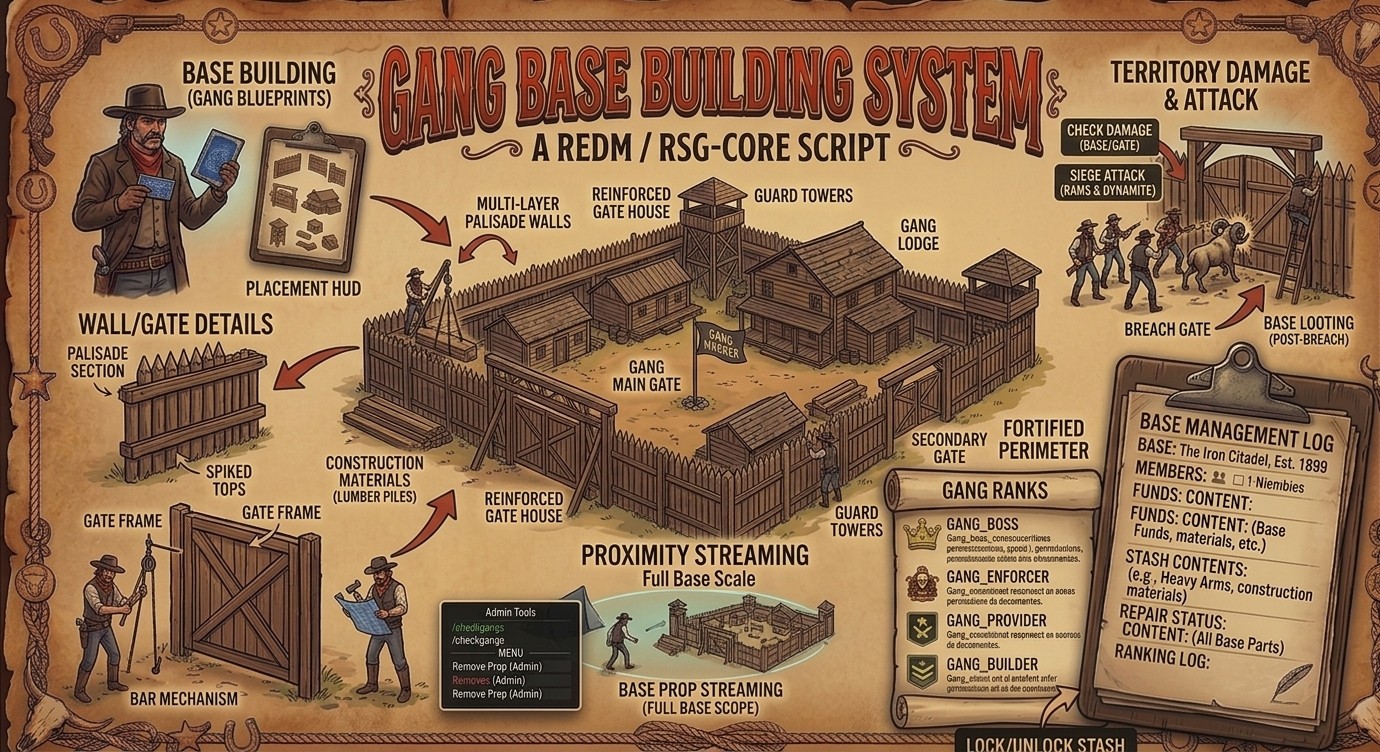
- Gangs Create a gang by placing a camp marker (gangmarker item). Manage members, funds, stash, name, and repairs through a clipboard-style menu (target your camp marker and select “Open”).
- Blips Gang members can see each other on the map. Commands: /gangblips, /togglegangblips, /toggleownblip.
- Territory damage Target a camp marker and select “Check Damage” to attack (dynamite), rob cash (once protection reaches 0%), or view status.
- Base building Use the gangblueprints item to open the placement HUD (top-left clipboard). Press [ to hide/show the HUD without cancelling placement. Parts can only be placed within Config.PartPlacementRadius of one of your gang’s own camp markers. If your gang has no camp marker (for example if it was removed), you cannot place new parts until one exists again. Gates can be destroyed by any player with an axe. All parts (gates and walls) also decay passively over time and are removed at 0% health (see Config.PartDecay).
- Proximity streaming Camp props and base-build parts only spawn their physical object when a player is within Config.CampPropStreamRadius / Config.PartStreamRadius.
-
Admin tools
- Targeting any camp prop or base-build part shows a “Remove (Admin)” option for admins, deleting it from the game and database.
- /checkgangs opens a list of all gangs with their last stash/menu access time, plus options to lock/unlock a gang’s stash or remove a gang and all of its props, parts, and stash.
- Gang ranks The gang menu’s “Ranks” tab (visible to every member) lists each member’s icon, name, rank, and tracked totals of money and items added to the gang. Ranks are gang_boss, gang_enforcer, gang_provider, and gang_member (assigned automatically when a boss adds a new member). Only gang_boss has boss-level permissions. A boss can change any member’s rank from this tab, except the last remaining boss cannot be demoted (a gang must always keep at least one boss). “Give Item to Stash” (Stash & Funds tab) is the only method that tracks items added to the stash — items moved directly through the stash UI itself are not tracked, as this resource cannot hook into rsg-inventory’s own stash transfers.